Displaying Events on Your Site
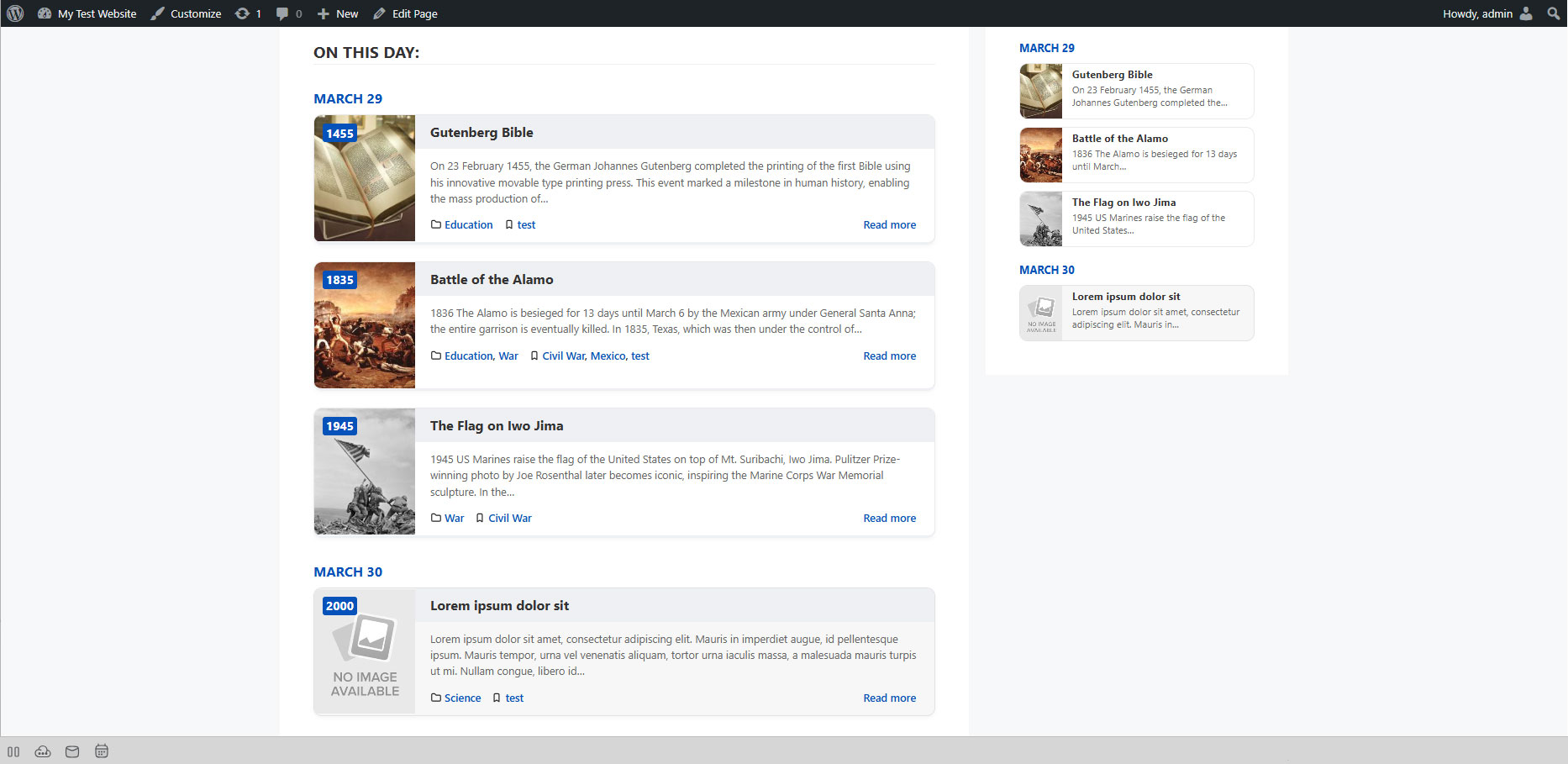
There are two ways to display today's Herodotus events:
Option 1: Shortcode
Add the following shortcode to any post, page, or text widget:
[herodotus]
This displays published events matching the active date mode, category and limit. With Free, the date mode is today.
Option 2: Gutenberg Block
- Edit any page or post in the block editor.
- Click the + (block inserter) button.
- Search for "Herodotus".
- Add the Herodotus - On This Day block.
- Configure layout and other options in the block sidebar.
Where Can I Place Events?
- Regular Pages
- Posts
- Widget Areas (sidebar, footer)
- Page builder modules (Elementor, Divi, etc.)
- Any area that supports shortcodes or blocks
More Display Options
Use layout="text" for a plain list, or [herodotus_random] for a random selection. Pro adds grid, carousel and timeline layouts. See Layouts and Shortcode Reference.